Note
Click here to download the full example code
Main window#
Use MainWindow to build an application shell with a menu bar, tool bars,
dock widgets, and a status bar around a central widget area.
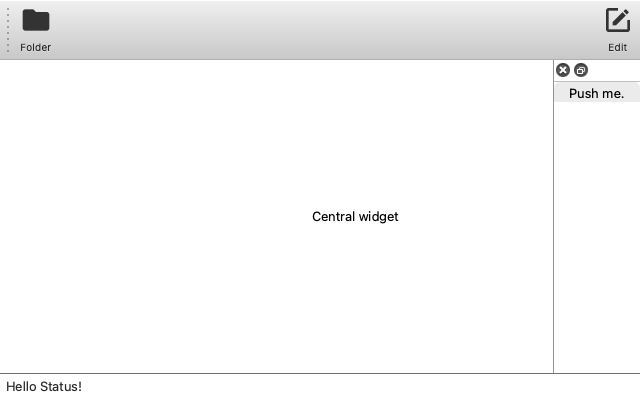
from magicgui import widgets

main = widgets.MainWindow()

# toolbar
toolbar = widgets.ToolBar()
toolbar.add_button(text="Folder", icon="mdi:folder")
toolbar.add_spacer()
toolbar.add_button(text="Edit", icon="mdi:square-edit-outline")
main.add_tool_bar(toolbar, area="top")

# status bar
main.status_bar.set_message("Hello Status!", timeout=5000)

# dock widgets
main.add_dock_widget(widgets.PushButton(text="Push me."), area="right")

# menus
file_menu = main.menu_bar.add_menu("File")
assert file_menu is main.menu_bar["File"]  # can also access like this
file_menu.add_action("Open", callback=lambda: print("Open"))
submenu = file_menu.add_menu("Submenu")
submenu.add_action("Subaction", callback=lambda: print("Subaction"))
submenu.add_separator()
submenu.add_action("Subaction2", callback=lambda: print("Subaction2"))

# central widget
main.append(widgets.Label(value="Central widget"))

main.height = 400

if __name__ == "__main__":
    main.show(run=True)
Total running time of the script: ( 0 minutes 0.833 seconds)
Download Python source code: main_window.py