Rgb#
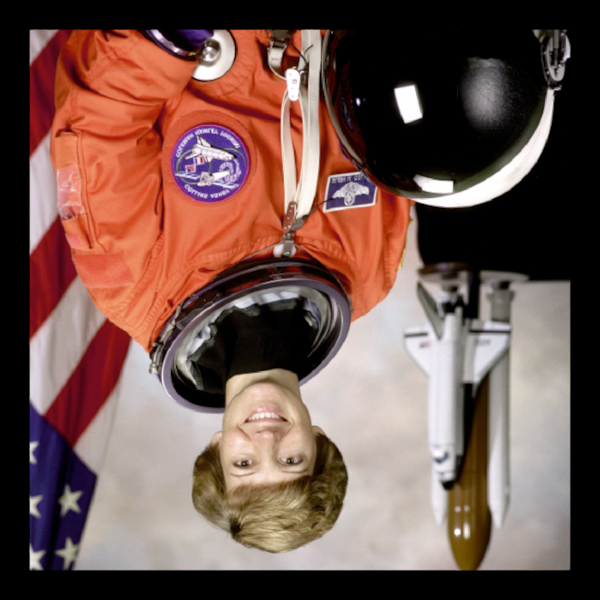
Demonstrates displaying an RGB image.
Pressing the mouse buttons cycles through the R, G, and B channels Releasing the mouse button returns to the full RGB image.
import cmap
import numpy as np

import scenex as snx
import scenex.app.events as events

try:
    from imageio.v3 import imread

    # FIXME: Why is the image upside down?
    data = np.asarray(imread("imageio:astronaut.png")).astype(np.uint8)
except Exception:
    data = np.zeros((256, 256, 3), dtype=np.uint8)

    # R,G,B are simple
    for i in range(256):
        data[i, :, 0] = i  # Red
        data[i, :, 2] = 255 - i  # Blue
    for j in range(256):
        data[:, j, 1] = j  # Green

img = snx.Image(data=data, clims=(0, 255), interactive=True)

view = snx.View(
    scene=snx.Scene(
        children=[
            img,
        ]
    ),
    camera=snx.Camera(controller=snx.PanZoom(), interactive=True),
)

idx = 0
cmaps = ["red", "green", "blue"]


def _event_filter(event: events.Event) -> bool:
    if isinstance(event, events.MousePressEvent):
        if not (ray := view.to_ray(event.pos)):
            return False
        if ray.intersections(img):
            global idx
            img.data = data[:, :, idx % 3]
            img.cmap = cmap.Colormap(cmaps[idx % 3])
            idx += 1
    elif isinstance(event, events.MouseReleaseEvent):
        img.data = data
        img.cmap = cmap.Colormap("red")
    return False


view.set_event_filter(_event_filter)

snx.show(view)
snx.run()