Keyboard Pan Zoom#
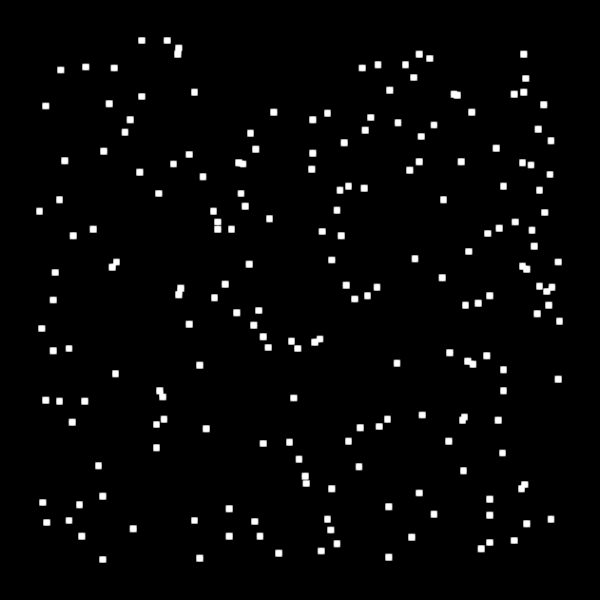
Demonstrates keyboard-driven pan and zoom on top of the PanZoom controller.
Arrow keys pan the view; + and - zoom in and out. Mouse drag and scroll continue to work as normal via the PanZoom controller.
import numpy as np
from app_model.types import KeyBinding, KeyCode

import scenex as snx
from scenex.app.events import Event, KeyPressEvent

# Build a recognisable test image: a grid of bright dots on a dark background.
rng = np.random.default_rng(0)
data = np.zeros((512, 512), dtype=np.uint8)
coords = rng.integers(8, 504, size=(200, 2))
for y, x in coords:
    data[y - 3 : y + 3, x - 3 : x + 3] = 255

view = snx.View(
    scene=snx.Scene(children=[snx.Image(data=data)]),
    camera=snx.Camera(controller=snx.PanZoom(), interactive=True),
)
canvas = snx.Canvas(views=[view])

_PAN_STEP = 20.0  # world units per arrow-key press
_ZOOM_STEP = 1.25  # multiplicative factor per +/- press

LEFT = KeyBinding.validate(KeyCode.LeftArrow)
RIGHT = KeyBinding.validate(KeyCode.RightArrow)
UP = KeyBinding.validate(KeyCode.UpArrow)
DOWN = KeyBinding.validate(KeyCode.DownArrow)
ZOOM_IN = KeyBinding.validate(KeyCode.NumpadAdd)  # + key
ZOOM_OUT = KeyBinding.validate(KeyCode.NumpadSubtract)  # - key


def _key_filter(event: Event) -> bool:
    """Pan with arrow keys; zoom with + / -."""
    if not isinstance(event, KeyPressEvent):
        return False

    key = event.key
    print(f"key_down: {key}")
    cam = view.camera

    if key == UP:
        cam.transform = cam.transform.translated((0, -_PAN_STEP))
    elif key == DOWN:
        cam.transform = cam.transform.translated((0, _PAN_STEP))
    elif key == LEFT:
        cam.transform = cam.transform.translated((_PAN_STEP, 0))
    elif key == RIGHT:
        cam.transform = cam.transform.translated((-_PAN_STEP, 0))
    elif key == ZOOM_IN:
        s = _ZOOM_STEP
        cam.projection = cam.projection.scaled((s, s, 1.0))
    elif key == ZOOM_OUT:
        s = 1.0 / _ZOOM_STEP
        cam.projection = cam.projection.scaled((s, s, 1.0))

    return True


canvas.set_event_filter(_key_filter)

snx.show(canvas)
snx.run()