Blending#
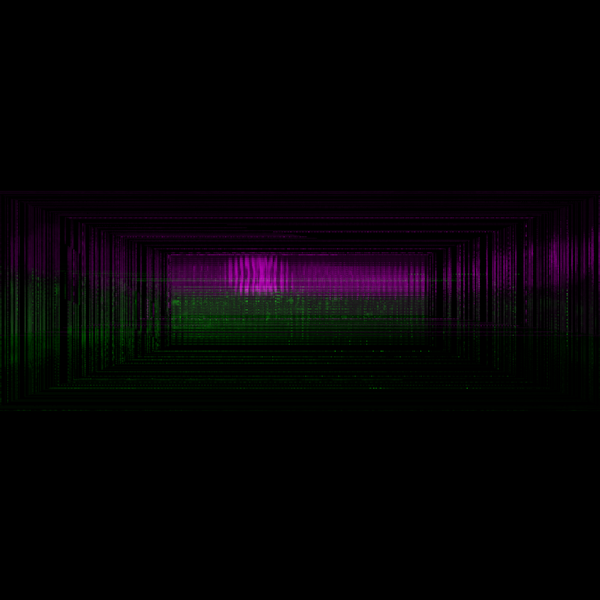
An example demonstrating different blend modes.
Unaltered, each channel of the volume is blended additively, resulting in transparency.
By clicking on the green volume, the blend mode will cycle through the available modes.
import cmap
import numpy as np

import scenex as snx
import scenex.model
from scenex.app.events import Event, MousePressEvent
from scenex.model._transform import Transform
from scenex.utils import projections

try:
    from imageio.v2 import volread

    url = "https://gitlab.com/scikit-image/data/-/raw/2cdc5ce89b334d28f06a58c9f0ca21aa6992a5ba/cells3d.tif"
    data = np.asarray(volread(url)).astype(np.uint16)[:, :, :, :]
except ImportError:
    data = np.random.randint(0, 2, (3, 2, 3, 3)).astype(np.uint16)

data1 = data[:, 0, :, :]
volume1 = snx.Volume(
    data=data1,
    cmap=cmap.Colormap("green"),
    blending=scenex.model.BlendMode.ADDITIVE,
    clims=(data1.min(), data1.max()),
    opacity=0.7,
    order=1,
    name="Cell membranes",
    interactive=True,
)
data2 = data[:, 1, :, :]
volume2 = snx.Volume(
    data=data2,
    blending=scenex.model.BlendMode.ADDITIVE,
    cmap=cmap.Colormap("magenta"),
    clims=(data2.min(), data2.max()),
    opacity=0.7,
    order=2,
    name="Cell nuclei",
    interactive=True,
    transform=Transform().translated((0, 0, 30)),
)

view = snx.View(
    scene=snx.Scene(
        children=[volume1, volume2],
        interactive=True,
    ),
    camera=snx.Camera(interactive=True),
)

blend_modes = list(scenex.model.BlendMode)


def change_blend_mode(event: Event) -> bool:
    """Change the blend mode of a volume when it is clicked."""
    if not isinstance(event, (MousePressEvent)):
        return False
    if not (ray := view.to_ray(event.pos)):
        return False
    if not ray.intersections(volume1):
        return False
    idx = blend_modes.index(volume1.blending)
    next_idx = (idx + 1) % len(blend_modes)

    print(f"Changing blend mode to {blend_modes[next_idx]}")

    volume1.blending = blend_modes[next_idx]
    volume2.blending = blend_modes[next_idx]
    return False


view.set_event_filter(change_blend_mode)

snx.show(view)

# Orbit around the center of the volume
orbit_center = np.mean(np.asarray(view.scene.bounding_box), axis=0)

# Place the camera along the x axis, looking at the orbit center
view.camera.transform = Transform().translated(orbit_center).translated((300, 0, 0))
view.camera.look_at(orbit_center, up=(0, 0, 1))
# Perspective projection for 3D
view.camera.projection = projections.perspective(
    fov=70,
    near=1,
    far=1_000_000,  # Just need something big
)
view.camera.controller = snx.Orbit(center=orbit_center)

snx.run()