Basic Line#
Demonstrates a line with a vertex colormap iff the user hovers over it.
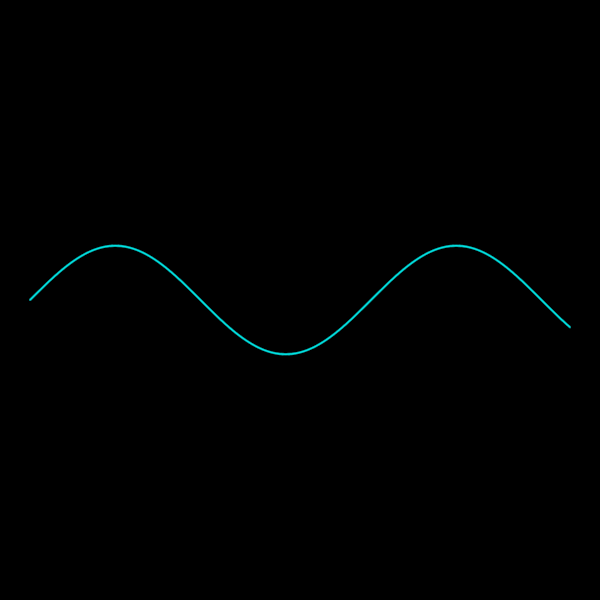
import cmap
import numpy as np

import scenex as snx
from scenex.app.events import (
    Event,
    MouseButton,
    MouseEvent,
    MouseMoveEvent,
    MousePressEvent,
    MouseReleaseEvent,
)


def _create_line_data(angle: float = 0) -> np.ndarray:
    x = np.arange(0, 10, 0.05)
    y = 1 * np.sin(x + angle)
    return np.column_stack((x, y, np.zeros_like(x)))


# Create the mesh
original_vertices = _create_line_data()


line_color_model = snx.UniformColor(color=cmap.Color("cyan"))
pressed_color_model = snx.VertexColors(
    color=[
        cmap.Color("blue") if i % 2 == 0 else cmap.Color("yellow")
        for i in range(len(original_vertices))
    ],
)
line = snx.Line(vertices=original_vertices, color=line_color_model)

view = snx.View(
    scene=snx.Scene(children=[line]),
    camera=snx.Camera(controller=snx.PanZoom(), interactive=True),
)


pressed = False


def _view_event_filter(event: Event) -> bool:
    """Interactive mesh manipulation based on mouse events."""
    global pressed

    if not isinstance(event, MouseEvent):
        return False
    if not (ray := view.to_ray(event.pos)):
        return False
    if isinstance(event, MouseMoveEvent):
        if pressed and event.buttons & MouseButton.LEFT:
            x, y, _z = ray.origin
            y = max(-1, min(1, y))
            line.vertices = _create_line_data(angle=np.asin(y) - x)
            return True
        if ray.intersections(line):
            line.color = pressed_color_model
            return True
        line.color = line_color_model
    elif isinstance(event, MousePressEvent):
        if event.buttons & MouseButton.LEFT:
            if ray.intersections(line):
                pressed = True
            return True
    elif isinstance(event, MouseReleaseEvent):
        pressed = False
        return True
    return False


# Set up the event filter
view.set_event_filter(_view_event_filter)

# Show and position camera
snx.show(view)
snx.run()