QIconifyIcon
A QIcon with one of the SVG icons of Iconify: over
450,000 icons, from more than 260 open source icon sets. Find an icon at
https://icon-sets.iconify.design, and create it with its key, in the form
"prefix:name": QIconifyIcon("bi:bell"). (For a comparison with font icons,
see Icons.)
Requires pyconify
Icons are downloaded with pyconify,
which you can install with the iconify extra:
Example

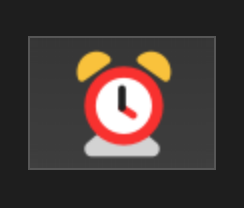
from qtpy.QtCore import QSize
from qtpy.QtWidgets import QApplication, QPushButton

from superqt import QIconifyIcon

app = QApplication([])

btn = QPushButton()
btn.setIcon(QIconifyIcon("fluent-emoji-flat:alarm-clock"))
btn.setIconSize(QSize(60, 60))
btn.show()

app.exec()
Colors, rotation, and states
Single-color icons can be colored, and any icon can be flipped or rotated:
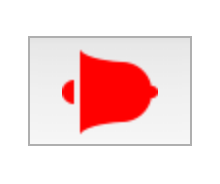

Without a color, single-color icons are black, whatever the widget's palette.
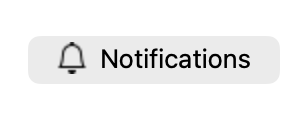
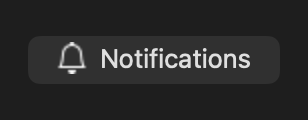
For a dark theme, pass a color, for example one from the palette:
color = button.palette().color(QPalette.ColorRole.ButtonText).name()
button.setIcon(QIconifyIcon("bi:bell", color=color))
addKey adds icons for other states and modes of the same QIcon. For
example, a different icon when a checkable button is checked:
icon = QIconifyIcon("bi:bell", color="gray")
icon.addKey("bi:bell-fill", color="orange", state=QIcon.State.On)
button.setCheckable(True)
button.setIcon(icon)
How icons are fetched
The first time an icon is used, pyconify downloads it from the Iconify API
(api.iconify.design), and saves it in a cache on disk, where later sessions
find it.
- The download happens when the
QIconifyIconis created, in the thread that creates it, which waits for it (with a timeout of 2 seconds). - The first icon of each session also asks the API when the icon sets last changed, so that cached icons that are out of date are downloaded again.
- Without network access, cached icons still load. An icon that isn't cached causes a warning, and is replaced by a question mark icon.
pyconify.get_cache_directory()returns the location of the cache. To use another directory, set thePYCONIFY_CACHEenvironment variable to it (or to0, to turn the cache off) beforesuperqt.iconify(or pyconify) is imported.
Using icons offline, or in an app
To make sure that an app's icons are available without network access, ship them in a cache directory:
- Fill a directory with the icons: create each of them once (for example, by
running the app), with
PYCONIFY_CACHEset to that directory. -
Ship the directory with the app, and set
PYCONIFY_CACHEto it before importingsuperqt.iconify:
The icons are then loaded from the directory. With network access, an icon whose set has changed since is downloaded again, into the same directory (so it should be writable).
Licenses
Each icon set has its own license. Most are permissive (such as MIT or Apache
2.0), but many require attribution (CC BY 4.0), and a few are GPL. The license of
a set is shown on its page at https://icon-sets.iconify.design, and returned by
pyconify.collections().
API
QIconifyIcon(
    *key: str,
    color: str | None = None,
    flip: Flip | None = None,
    rotate: Rotation | None = None,
    dir: str | None = None,
)
QIcon backed by an iconify icon.
Iconify includes over 450,000 icons from 260+ icon sets, including Bootstrap, Font Awesome, Material Design, and many more.
Search available icons at https://icon-sets.iconify.design
Once you find one you like, use the key in the format "prefix:name" to create an
icon: QIconifyIcon("bi:bell").
This class is a thin wrapper around the
pyconify svg_path function. It pulls SVGs
from iconify, creates a temporary SVG file and uses it as the source for a QIcon.
SVGs are cached to disk, and persist across sessions (until pyconify.clear_cache()
is called).
Parameters are the same as QIconifyIcon.addKey, which can be used to add
additional icons for various modes and states to the same QIcon.
Parameters:
-
*key(str, default:()) –Icon set prefix and name. May be passed as a single string in the format
"prefix:name"or as two separate strings:'prefix', 'name'. -
color(str, default:None) –Icon color. If not provided, the icon will appear black (the icon fill color will be set to the string "currentColor").
-
flip(str, default:None) –Flip icon. Must be one of "horizontal", "vertical", "horizontal,vertical"
-
rotate(str | int, default:None) –Rotate icon. Must be one of 0, 90, 180, 270, or 0, 1, 2, 3 (equivalent to 0, 90, 180, 270, respectively)
-
dir(str, default:None) –If 'dir' is not None, the file will be created in that directory, otherwise a default directory is used.
Examples:
>>> from qtpy.QtWidgets import QPushButton
>>> from superqt import QIconifyIcon
>>> btn = QPushButton()
>>> icon = QIconifyIcon("bi:alarm-fill", color="red", rotate=90)
>>> btn.setIcon(icon)
addKey(
    *key: str,
    color: str | None = None,
    flip: Flip | None = None,
    rotate: Rotation | None = None,
    dir: str | None = None,
    size: QSize | None = None,
    mode: Mode = Normal,
    state: State = Off,
) -> QIconifyIcon
Add an icon to this QIcon.
This is a variant of QIcon.addFile that uses an iconify icon keys and
arguments instead of a file path.
Parameters:
-
*key(str, default:()) –Icon set prefix and name. May be passed as a single string in the format
"prefix:name"or as two separate strings:'prefix', 'name'. -
color(str, default:None) –Icon color. If not provided, the icon will appear black (the icon fill color will be set to the string "currentColor").
-
flip(str, default:None) –Flip icon. Must be one of "horizontal", "vertical", "horizontal,vertical"
-
rotate(str | int, default:None) –Rotate icon. Must be one of 0, 90, 180, 270, or 0, 1, 2, 3 (equivalent to 0, 90, 180, 270, respectively)
-
dir(str, default:None) –If 'dir' is not None, the file will be created in that directory, otherwise a default directory is used.
-
size(QSize, default:None) –Size specified for the icon, passed to
QIcon.addFile. -
mode(Mode, default:Normal) –Mode specified for the icon, passed to
QIcon.addFile. -
state(State, default:Off) –State specified for the icon, passed to
QIcon.addFile.
Returns:
-
QIconifyIcon–This QIconifyIcon instance, for chaining.